Fake Firefox Wallet Extensions Target Recovery Phrases and Private Keys
Three Firefox add-ons impersonated Phantom, Jupiter and Bitget to capture wallet secrets. Here’s how they worked and what affected users should do.
Three fake Firefox extensions posed as Phantom, Jupiter and Bitget wallets to capture the secrets that give access to cryptocurrency. Socket’s threat researchers found that the add-ons could collect recovery phrases and private keys, and that the Phantom impersonator could automatically send captured funds to preset addresses. The listings have since been removed, Socket says, but anyone who installed one should treat any phrase or key they entered as exposed.
Socket’s threat researchers identified the extensions on Firefox Add-ons. Their capabilities went beyond copying a familiar name and icon: they could inspect input fields, detect pasted text and scan screens where a recovery phrase was displayed. That approach gives the software several chances to catch a secret, whether a user is restoring a wallet or checking its backup.
What the extensions could capture
The add-ons searched for recovery phrases containing 12, 15, 18 or 24 words, along with Ethereum and Solana private keys. These credentials work differently from an ordinary account password. A recovery phrase can restore access to a wallet, while a private key authorizes control of it. In either case, someone who obtains the secret may be able to move the wallet’s assets.
A wallet doesn’t store cryptocurrency like a file stored on a device. The assets are recorded on a blockchain, a shared record of transactions. The wallet manages the keys used to access and spend them. A recovery phrase is a backup that can recreate those keys, so handing it to an untrusted extension can have consequences well beyond losing access to one browser profile.
The Phantom impersonator had an especially direct route from collection to theft. Socket found that its backend logged captured secrets and sent them to a Telegram bot. It could also move funds to hardcoded payout addresses across Ethereum, BSC, Polygon, Arbitrum, Optimism, Base, Avalanche, Solana and Bitcoin. The extension could read a phrase as it was typed during wallet import, or scan a screen displaying the phrase.
That combination matters: the extension didn’t need users to submit a phrase through a suspicious web form. Reading browser input and visible page content can expose secrets during routine wallet setup or recovery. The source doesn’t describe the Jupiter and Bitget variants’ fund-moving behavior in the same detail, so their capabilities shouldn’t be assumed to match every feature documented for the Phantom version.
Check the source before installing
The fake listings borrowed the names of established wallets, but the supported browser options described by the vendors offered a useful cross-check. Jupiter lists extensions for Chrome, Brave and Edge; Bitget’s extension is for Chrome. Phantom says its Firefox extension is no longer supported. A listing that conflicts with a wallet provider’s current browser support deserves careful scrutiny.
Store search results can make imitations look plausible, so start from a link provided by the wallet maker through a trusted channel. Review the requested browser permissions before installing. In this case, the fake Phantom listing requested access to data on all websites and had no privacy policy. Broad access is especially concerning for a wallet add-on because it may expose the pages where users handle sensitive information.
If one of the extensions is installed, remove it from Firefox using the three-dot menu beside the add-on and selecting Remove. If you entered a recovery phrase or private key while it was installed, treat the associated wallet as compromised. Socket’s recommended response is to create a new wallet on a clean device and move the assets there. Removing the extension alone can stop further collection from that browser, but it cannot make a secret already captured private again.
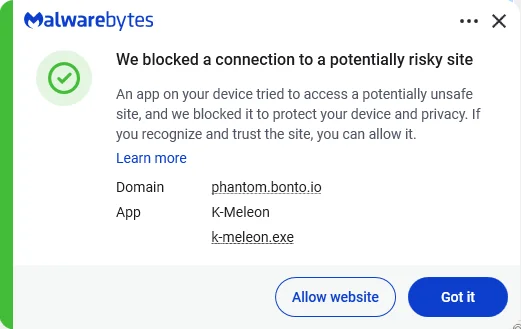
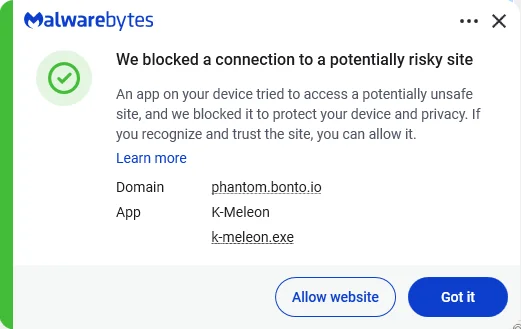
Keep recovery phrases offline and enter them only into the wallet application when restoring access. Never provide one to a website or to someone claiming to offer wallet support. A current anti-malware tool can also help block malicious websites, though it doesn’t replace checking an extension’s source and permissions. For more information about keeping threats off devices, see this device protection resource.
Indicators for investigation
Socket identified these Firefox add-on IDs and subdomains during its analysis. Teams checking browser inventories or network logs can use them to look for signs of installation or contact with the listed services:
Malicious extension IDs:
- Phantom impersonator:
3092199 - Jupiter impersonator:
3092666 - Bitget impersonator:
3092059
Subdomains:
bonto[.]iophantom[.]bonto[.]iojupiter[.]bonto[.]iobitget[.]bonto[.]iocoinbase[.]bonto[.]ioexodus[.]bonto[.]io
IP addresses:
104.21.34[.]69172.67.155[.]198
The listings are gone, but the broader lesson remains relevant to anyone who installs browser wallets: familiar branding doesn’t establish that an add-on is genuine. Check the wallet maker’s supported browsers, permission requests and installation links before trusting an extension with access to pages where wallet secrets may appear.