Chrome 156 and Firefox 159 Fix Browser Security Flaws
Chrome’s latest desktop release fixes 52 security issues; Firefox 159 addresses 167 vulnerabilities. Here’s how to check for both updates.
Chrome and Firefox both have fresh fixes for vulnerabilities in the code that handles web pages. Chrome’s October 27 Stable channel update addresses 52 security issues, four rated Critical; Mozilla’s Firefox 159 advisory covers 167 vulnerabilities. The releases are arriving gradually, so checking your browser version can help confirm whether the fixes are installed.
The headline counts don’t tell the whole story: each browser update also contains changes beyond the vulnerabilities described here. The source identifies memory-handling flaws in areas including page layout, JavaScript processing, and SVG graphics. It doesn’t provide a vulnerability-by-vulnerability account or explain how many of Firefox’s fixes fall into each category, so the totals alone aren’t a useful measure of which browser is safer.
What the updates change
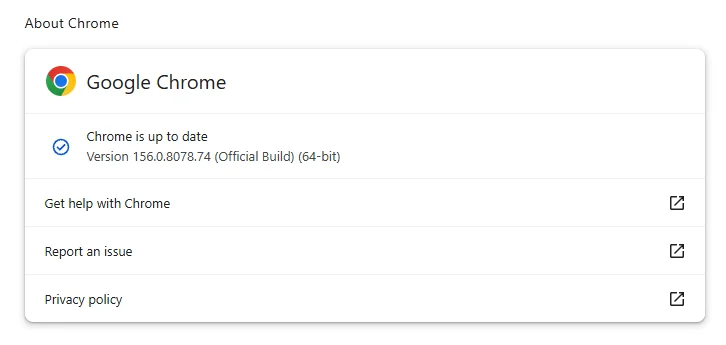
Google’s desktop release moves Chrome to versions 156.0.8078.73/.74 on Windows and Mac and 156.0.8078.73 on Linux. Mozilla’s advisory, Security Advisory 2026-118, accompanies Firefox 159. Both updates will reach users over the coming days and weeks.
That staggered delivery affects when a browser receives the update, while the version number tells you what is installed locally. A browser set to update automatically may still be behind if it hasn’t been restarted, or if an error has interrupted the process. Checking the version directly is a simple way to see whether an update is available on your device.
The shared technical theme is use-after-free bugs. These occur when software tries to access a memory area after it has been released. Depending on the flaw and the circumstances, the result can be a crash or, in some cases, a way to run code. Web browsers process complex content from many sources, which makes correct memory handling important across components such as layout, scripting, and graphics.
Both companies credit OpenAI Codex Security with identifying bugs addressed in these releases. Finding a potential flaw is only one part of the work: security teams still need to check whether it can be reproduced, understand which code paths are affected, and prepare a fix. AI tools can help examine code, while human review and automated tests remain part of assessing and repairing reported issues.
The source also points to Mozilla’s work with Anthropic as an example of findings being validated before they are reported. Reproducible evidence can give a browser team a clearer starting point for investigation. The practical measure for users, though, is whether the fix has reached their installed browser and whether restarting completes the update.
Check Chrome’s version
Chrome normally updates automatically, but leaving the browser open for long stretches can delay applying an update that needs a restart. Extensions or other problems can also interfere with the process. To check manually, open About Google Chrome from the browser’s Settings or Help menu. Chrome will look for an available update; if it finds one, select Relaunch to finish installing it.
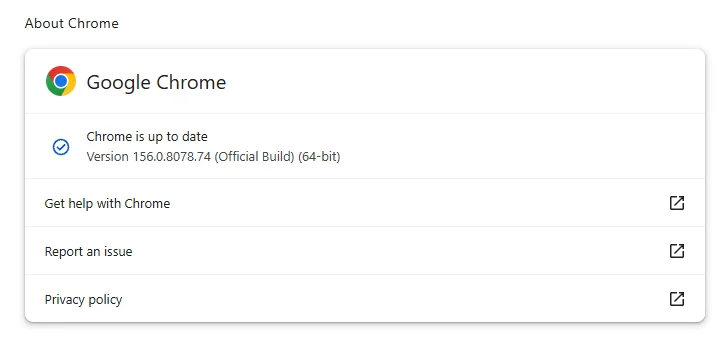
The displayed version can vary by operating system, so compare it with the version listed for your platform rather than expecting every installation to show the same final digits. The step-by-step guide, How to update Chrome on every operating system, explains the version numbering and update steps in more detail.
Check Firefox’s version
In Firefox, open the menu at the right of the toolbar, choose Help, then select About Firefox. The browser will check for updates and download one if it’s available. Select Relaunch when prompted to complete the installation. After restarting, check that the version is 159.0 or later.

For both browsers, automatic updates reduce the need for routine manual checks, but they don’t remove the need to restart when prompted. If the expected version isn’t available yet, the staged delivery may not have reached your installation. The key follow-up is to confirm the version after restarting and watch for further release notes that clarify the individual fixes and Firefox 159’s new features.
For readers looking for more information about the linked privacy service, see Malwarebytes Privacy VPN.